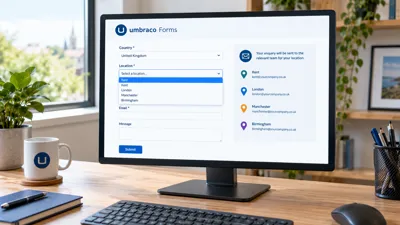
I recently had a requirement on an Umbraco 17 site to add a country dropdown to an Umbraco Forms form, followed by a location dropdown that only shows the locations (sites) for the country selected. Once the form is submitted, an email needs to go to the contact for that specific location. On top of that, the site is multi-lingual, so the country and location names need to show in the visitor's language.
Umbraco Forms doesn't do cascading dropdowns out of the box, and it doesn't have a way of picking an email recipient from a content node either, so this post covers why I ended up building it the way I did and how the pieces fit together. The code was written against Umbraco 17.7 and Umbraco Forms 17.6.
Why the Out of the Box Umbraco Forms Approach Didn't Work
There is a no-code way of doing this with Umbraco Forms, and for a form with two or three countries it would be fine. You add a Country dropdown, then a separate Location dropdown for each country, each one using conditional logic so it only shows when its country is selected. For the email, you add a "Send email" workflow per location, each with a workflow condition so it only fires when that location is chosen.
The trouble is the numbers. This client has several countries and dozens of locations, and they will be adding more over time. That means:
One dropdown field per country on the form, each with its own conditional rule.
One email workflow per location, each with its own condition. Thirty locations means thirty workflows.
Every time a location is added, renamed or its contact changes, someone has to go into the Forms designer and edit the form and its workflows.
The Forms designer isn't a great place to manage that many workflows. They aren't easy to scan or amend, and it would only take one condition pointing at the wrong location for enquiries to go to the wrong person without anyone noticing. It gets worse on a multi-lingual site where there's a copy of the form for each language, as every change has to be made several times.
The other shortcut people sometimes take is to put the contact's email address in the dropdown value and the location name in the caption, then use the field in the workflow's recipient box. It works, but the rendered HTML ends up looking like this:
<option value="jane.smith@example.com">Manchester</option>
<option value="bob.jones@example.com">Leeds</option>
The visitor only sees the location names, but every contact's email address is in the page source for any spam bot to pick up. That wasn't an option.
The Solution: Content-Driven Locations and a Single Email Workflow
What I wanted was for the countries, locations and their email recipients to live in the CMS as content, where editors can manage them like anything else, and for the form to have just one "Send email" workflow that sends to whichever location was picked. The email addresses never leave the server.
The solution is made up of these parts:
Country and Location document types in the content tree, with the email recipients stored on each location.
A Country dropdown using the built-in Umbraco Documents prevalue source.
A Location dropdown using a custom prevalue source that returns every location.
A small API controller and some JavaScript that filter the Location dropdown when the country changes.
A custom hidden field type that looks up the selected location's email recipients on the server when the form is submitted.
A single "Send email" workflow that uses the hidden field as its recipient.
In the code below, replace MySite with your own namespace. The C# classes live in a class library (MySite.Core) that references the Umbraco.Forms.Core and Umbraco.Forms.Core.Providers NuGet packages, and the project has implicit usings enabled.
Managing Countries and Locations in the Umbraco CMS
I added three document types: Countries (a container), Country and Location. They sit under a Settings node at the root of the content tree, alongside the home page, so the structure looks like this:
Home
Settings
  Countries
    United Kingdom
      Manchester
      Leeds
    France
      Lyon
      Nantes
The Location document type has one property, Email Recipients (alias emailRecipients), which is a text string where editors can enter one or more addresses separated by semi-colons or commas. The country and location names are just the node names, so there's nothing else to fill in.
Adding a new location is now a case of creating a content node and publishing it. Nobody needs to touch the form.
I'm using ModelsBuilder, so there are strongly typed Settings, Countries, Country and Location models in a MySite.ContentModels namespace, with Location having an EmailRecipients property. To find the nodes from code I added some extension methods. The first set works on the published content cache and finds the Settings node at the root, then walks down to the countries and locations:
using MySite.ContentModels;
using Umbraco.Cms.Core.PublishedCache;
using Umbraco.Cms.Core.Services.Navigation;
using Umbraco.Extensions;

namespace MySite.Core.Extensions
{
    public static class IPublishedContentCacheExtensions
    {
        public static Settings? GetSettings(this IPublishedContentCache publishedContentCache, IDocumentNavigationQueryService documentNavigationQueryService)
        {
            if (documentNavigationQueryService.TryGetRootKeysOfType(Settings.ModelTypeAlias, out var rootKeys))
            {
                return rootKeys
                    .Select(p => publishedContentCache?.GetById(p))
                    .OfType<Settings>()
                    .FirstOrDefault();
            }
            else
            {
                return null;
            }
        }

        public static Country? GetCountry(this IPublishedContentCache publishedContentCache, IDocumentNavigationQueryService documentNavigationQueryService, string countryName)
        {
            return publishedContentCache.GetSettings(documentNavigationQueryService)
                    ?.GetCountries()
                    ?.GetCountry(countryName);
        }

        public static Location? GetLocation(this IPublishedContentCache publishedContentCache, IDocumentNavigationQueryService documentNavigationQueryService, string countryName, string locationName)
        {
            return publishedContentCache.GetSettings(documentNavigationQueryService)
                    ?.GetCountries()
                    ?.GetCountry(countryName)
                    ?.GetLocation(locationName);
        }

        public static IEnumerable<Location> GetAllLocations(this IPublishedContentCache publishedContentCache, IDocumentNavigationQueryService documentNavigationQueryService)
        {
            return publishedContentCache.GetSettings(documentNavigationQueryService)
                    ?.GetCountries()
                    ?.Children<Country>()
                    .SelectMany(c => c.Children<Location>())
                    ?? Enumerable.Empty<Location>();
        }
    }
}
The second set does the matching by name on the content models themselves:
using MySite.ContentModels;
using Umbraco.Extensions;

namespace MySite.Core.Extensions
{
    public static class IPublishedContentExtensions
    {
        public static Countries? GetCountries(this Settings settings)
        {
            return settings?.Children<Countries>()?.FirstOrDefault();
        }

        public static Country? GetCountry(this Countries countries, string countryName)
        {
            return countries?.Children<Country>()?.FirstOrDefault(p => String.Compare(p.Name, countryName, true) == 0);
        }

        public static Location? GetLocation(this Country country, string locationName)
        {
            return country?.Children<Location>()?.FirstOrDefault(p => String.Compare(p.Name, locationName, true) == 0);
        }
    }
}
The location is always looked up by country and location name together, so it doesn't matter if two countries happen to have a location with the same name.
Umbraco Forms Prevalue Sources for the Country and Location Dropdowns
Prevalue sources are set up in the Forms section of the backoffice, then picked when adding a dropdown field to a form.
Country Prevalue Source
The Country dropdown didn't need any code. I added a prevalue source called "Countries" using the built-in "Umbraco Documents" type, with these settings:
Root node: a dynamic root starting at the content root, then "nearest descendant or self" of type Settings, then "nearest descendant or self" of type Countries. This saves picking a fixed node, so it still works when the content is deployed to another environment.
Document type: Country.
Value field and caption field: left empty, so both the value and the caption are the node name.
Order by: alphabetical.
Leaving the value field empty is important here, because the country name is what the API and the hidden field use to find the country later on.
Custom Location Prevalue Source
The Location dropdown needed a custom prevalue source. It returns every location under every country, and the JavaScript (covered below) then trims the list down to the selected country's locations in the browser. Rendering all of them up front means the dropdown always contains a valid option for whatever the visitor ends up selecting, and the posted value is always one of the field's prevalues.
using MySite.Core.Extensions;
using Umbraco.Cms.Core.Services.Navigation;
using Umbraco.Cms.Core.Web;
using Umbraco.Forms.Core;
using Umbraco.Forms.Core.Models;

namespace MySite.Core.PreValueSources
{
    public class AllLocationsPreValueSource : FieldPreValueSourceType
    {
        private readonly IUmbracoContextFactory _umbracoContextFactory;
        private readonly IDocumentNavigationQueryService _documentNavigationQueryService;

        public AllLocationsPreValueSource(IUmbracoContextFactory umbracoContextFactory, IDocumentNavigationQueryService documentNavigationQueryService)
        {
            _umbracoContextFactory = umbracoContextFactory;
            _documentNavigationQueryService = documentNavigationQueryService;

            Id = new Guid("65d1541c-370b-4abd-82ec-872423689531");
            Name = "All Locations";
            Description = "Every location under every country";
            Icon = "icon-globe";
        }

        public override Task<List<PreValue>> GetPreValuesAsync(Field? field, Form? form)
        {
            var result = new List<PreValue>();

            using (var umbracoContext = _umbracoContextFactory.EnsureUmbracoContext())
            {
                var locations = umbracoContext.UmbracoContext.Content.GetAllLocations(_documentNavigationQueryService);

                var names = locations
                    .Select(l => l.Name)
                    .Distinct(StringComparer.OrdinalIgnoreCase);

                var i = 0;

                foreach (var name in names)
                {
                    result.Add(new PreValue { Id = name, Value = name, Caption = name, SortOrder = i++ });
                }

                return Task.FromResult(result);
            }
        }

        public override List<Exception> ValidateSettings() => new();
    }
}
If you copy this, generate a new GUID for the Id. With that prevalue source type registered (see the composer further down), I added a prevalue source called "Locations" in the Forms section using the "All Locations" type.
As with the countries, I used the location name as the value rather than the node key. It keeps the form entries and the email readable ("Manchester" rather than a GUID), and since the lookup is done using the country and location names together, there's no ambiguity.
Filtering the Location Dropdown by Country with JavaScript
Locations API Controller
To make the Location dropdown change when a country is picked, I added a simple API controller that returns the names of the locations for a given country:
using MySite.ContentModels;
using MySite.Core.Extensions;
using Microsoft.AspNetCore.Mvc;
using Umbraco.Cms.Core.Extensions;
using Umbraco.Cms.Core.Models.PublishedContent;
using Umbraco.Cms.Core.Services;
using Umbraco.Cms.Core.Services.Navigation;
using Umbraco.Cms.Core.Web;
using Umbraco.Extensions;

namespace MySite.Core.Controllers
{
    [ApiController]
    [Route("api/locations")]
    public class LocationsApiController : ControllerBase
    {
        private readonly IUmbracoContextFactory _umbracoContextFactory;
        private readonly IDocumentNavigationQueryService _documentNavigationQueryService;
        private readonly IVariationContextAccessor _variationContextAccessor;
        private readonly ILanguageService _languageService;

        public LocationsApiController(IUmbracoContextFactory umbracoContextFactory,
            IDocumentNavigationQueryService documentNavigationQueryService,
            IVariationContextAccessor variationContextAccessor,
            ILanguageService languageService)
        {
            _umbracoContextFactory = umbracoContextFactory;
            _documentNavigationQueryService = documentNavigationQueryService;
            _variationContextAccessor = variationContextAccessor;
            _languageService = languageService;
        }

        [HttpGet("getlocations")]
        public async Task<IActionResult> GetLocations(string countryName, string culture)
        {
            var isoCodes = await _languageService.GetAllIsoCodesAsync();
            var isoCode = isoCodes.FirstOrDefault(x => x.Equals(culture, StringComparison.OrdinalIgnoreCase));

            if (isoCode != null)
            {
                using (var umbracoContext = _umbracoContextFactory.EnsureUmbracoContext())
                {
                    _variationContextAccessor.VariationContext = new VariationContext(isoCode);

                    var country = umbracoContext.UmbracoContext.Content.GetCountry(_documentNavigationQueryService, countryName);

                    if (country != null)
                    {
                        var names = country.Children<Location>().Select(x => x.Name);

                        return Ok(names);
                    }

                    return NotFound();
                }
            }
            else
            {
                return BadRequest("Invalid culture");
            }
        }
    }
}
Umbraco picks up attribute-routed controllers without any extra setup in Program.cs, so this is available at /api/locations/getlocations straight away. The culture parameter is there for the multi-lingual side of things, which I'll come back to.
Adding the Field Alias to the Dropdown in the Form Theme
The JavaScript needs to be able to find the two dropdowns on the page. Umbraco Forms renders field IDs as GUIDs, which aren't much use, so I overrode the DropDownList field view in the form theme and added the field alias as a data-alias attribute on the select. The file goes in Views/Partials/Forms/Themes/default/Fieldtypes/FieldType.DropDownList.cshtml (use your own theme folder if you have one), and it's a copy of the standard view with that one attribute added at the end:
@model Umbraco.Forms.Web.Models.FieldViewModel
@using Umbraco.Forms.Web
@{
    var settings = Model.AdditionalSettings;
    var autocompleteAttribute = Model.GetSettingValue<string>("AutocompleteAttribute", string.Empty);
    var allowMultiple = settings.ContainsKey("AllowMultipleSelections") && settings["AllowMultipleSelections"].ToLower() == "true";
    var selectPrompt = Model.GetSettingValue<string>("SelectPrompt", string.Empty);
}

<select class="@Html.GetFormFieldClass(Model.FieldTypeName)"
        name="@Model.Name"
        id="@Model.Id"
        data-umb="@Model.Id"
        @if (string.IsNullOrEmpty(autocompleteAttribute) == false) { <text>autocomplete="@autocompleteAttribute"</text> }
        @if (allowMultiple) { <text> multiple </text> }
        @if (Model.Mandatory) { <text> data-val="true" data-val-required="@Model.RequiredErrorMessage" aria-required="true" </text> }
        aria-describedby="@(Model.Id)_validation@(!string.IsNullOrEmpty(Model.ToolTip) ? $" {Model.Id}_description" : "")"
        data-alias="@Model.Alias">
    @if (!allowMultiple)
    {
        <option value="">@selectPrompt</option>
    }
    @foreach (var pv in Model.PreValues)
    {
        @: <option value="@pv.Value" @(Model.ContainsValue(pv.Value) ? "selected" : string.Empty)>@pv.Caption</option>
    }
</select>
The Location Filter Script
The script looks for selects with the aliases country and location. When it starts up it takes a copy of every location option the prevalue source rendered. Each time the country changes, it clears the Location dropdown, calls the API, and adds back only the options whose value is in the list that comes back. If the location that was already selected is still valid for the new country, it stays selected.
export class LocationFilter {
    static countrySelector = '.umbraco-forms-form form select[data-alias="country"]';
    static locationSelector = '.umbraco-forms-form form select[data-alias="location"]';

    #abortController = null;

    /**
     * @param {HTMLSelectElement} country
     * @param {HTMLSelectElement} location
     * @param {string} culture
     * @param {string} [endpoint]
     */
    constructor(country, location, culture, endpoint = '/api/locations/getlocations') {
        this.country = country;
        this.location = location;
        this.culture = culture;
        this.endpoint = endpoint;
        this.allLocations = Array.from(location.options).map(o => o.cloneNode(true));

        this.onCountryChange = this.onCountryChange.bind(this);
        this.country.addEventListener('change', this.onCountryChange);
        this.filterLocations();
    }

    /**
     * @param {ParentNode} [root]
     * @returns {LocationFilter | null}
     */
    static init(root = document) {
        const country = root.querySelector(LocationFilter.countrySelector);
        const location = root.querySelector(LocationFilter.locationSelector);
        const culture = document.documentElement.lang;

        return country && location ? new LocationFilter(country, location, culture) : null;
    }

    destroy() {
        this.country.removeEventListener('change', this.onCountryChange);
        this.#abortController?.abort();
    }

    onCountryChange() {
        this.filterLocations();
    }

    async filterLocations() {
        // Cancel any in-flight request so a slow earlier response can't overwrite a newer one
        this.#abortController?.abort();
        this.#abortController = new AbortController();
        const { signal } = this.#abortController;

        const currentLocation = this.location.value;
        this.location.innerHTML = '';

        // Keep the empty "please select" option
        this.allLocations
            .filter(o => !o.value)
            .forEach(o => this.location.appendChild(o.cloneNode(true)));

        if (!this.country.value) {
            return;
        }

        try {
            const url = `${this.endpoint}?countryName=${encodeURIComponent(this.country.value)}&culture=${encodeURIComponent(this.culture)}`;
            const res = await fetch(url, { signal });

            if (!res.ok) {
                console.error('Failed to load locations', res.status, res.statusText);
                return;
            }

            const ids = (await res.json()).map(String);

            this.allLocations
                .filter(o => o.value && ids.includes(o.value))
                .forEach(o => this.location.appendChild(o.cloneNode(true)));

            if (ids.includes(currentLocation)) {
                this.location.value = currentLocation;
            }
        }
        catch (e) {
            if (e.name !== 'AbortError') {
                console.error('Failed to load locations', e);
            }
        }
    }
}
It's started from the site's main script once the page has loaded:
import { LocationFilter } from './utils/locationFilter.js';

document.addEventListener('DOMContentLoaded', () => LocationFilter.init());
The abort controller is there because if someone flicks through the countries quickly, an earlier request could come back after a later one and fill the dropdown with the wrong country's locations. Aborting the previous request stops that.
Because the API only returns names, and the options themselves come from the prevalue source, the browser never sees anything that isn't already on the page.
A Custom Hidden Field Type to Set the Email Recipient
This is the part that took the most working out. The plan was to have a hidden field on the form that holds the selected location's email recipients, and use that field as the recipient in a standard "Send email" workflow. The hidden field must be populated on the server, otherwise the addresses would have to be in the page.
Why a Notification Handler Didn't Work
My first attempt was a notification handler. Umbraco Forms publishes a RecordCreatingNotification before the record is saved, so I tried looking up the location's email recipients there and setting the hidden field's value on the record. It didn't work. The handler ran, but the value never made it into the saved entry or the email. I tried RecordSavingNotification as well, with the same result, and even overwriting a normal visible field from the handler had no effect.
Overriding ConvertToRecord on a Custom Field Type
The approach that did work was to create a custom field type that inherits from Umbraco Forms' HiddenField and override ConvertToRecord. This method is called when the posted values are copied onto the record, which happens before any workflows run. Whatever it returns becomes the field's value. Because it inherits from HiddenField, it renders as a normal hidden input on the form without needing its own view.
First, a couple of constants for the aliases of the Country and Location fields:
namespace MySite.Core
{
    public static class Constants
    {
        public static class UmbracoFormsFieldAliases
        {
            public const string Country = "country";

            public const string Location = "location";
        }
    }
}
Then the field type itself:
using MySite.Core.Extensions;
using Microsoft.AspNetCore.Http;
using Microsoft.Extensions.DependencyInjection;
using Umbraco.Cms.Core.Services.Navigation;
using Umbraco.Cms.Core.Web;
using Umbraco.Forms.Core.Models;
using Umbraco.Forms.Core.Providers.FieldTypes;
using Umbraco.Forms.Core.Services;

namespace MySite.Core.FieldTypes
{
    public class LocationRecipientsField : HiddenField
    {
        private readonly IUmbracoContextFactory _umbracoContextFactory;
        private readonly IDocumentNavigationQueryService _documentNavigationQueryService;

        public LocationRecipientsField(IUmbracoContextFactory umbracoContextFactory, IDocumentNavigationQueryService documentNavigationQueryService)
        {
            _umbracoContextFactory = umbracoContextFactory;
            _documentNavigationQueryService = documentNavigationQueryService;

            Id = new Guid("b6a9a884-9572-4e4b-a29b-f936c13252f9");
            Name = "Location email recipients";
            Alias = "locationEmailRecipients";
            Description = "Hidden field populated server-side with the selected location's email recipients";
        }

        // Runs when the submitted values are copied to the record, before any workflows execute
        public override IEnumerable<object> ConvertToRecord(Field field, IEnumerable<object> postedValues, HttpContext context)
        {
            var request = context.Request;

            if (request.HasFormContentType && Guid.TryParse(request.Form["FormId"], out var formId))
            {
                // Resolved here rather than injected, as IFormService depends on the field type collection
                var form = context.RequestServices.GetRequiredService<IFormService>().Get(formId);

                var countryField = form?.AllFields.FirstOrDefault(f => f.Alias == Constants.UmbracoFormsFieldAliases.Country);
                var locationField = form?.AllFields.FirstOrDefault(f => f.Alias == Constants.UmbracoFormsFieldAliases.Location);

                if (countryField != null && locationField != null)
                {
                    var countryName = request.Form[countryField.Id.ToString()].ToString();
                    var locationName = request.Form[locationField.Id.ToString()].ToString();

                    using (var umbracoContext = _umbracoContextFactory.EnsureUmbracoContext())
                    {
                        var emailRecipients = umbracoContext.UmbracoContext.Content.GetLocation(_documentNavigationQueryService, countryName, locationName)?.EmailRecipients?.Trim();

                        // Always overwrite, so nothing posted by the user is kept
                        return String.IsNullOrEmpty(emailRecipients) == false ? new object[] { emailRecipients } : Enumerable.Empty<object>();
                    }
                }
            }

            return Enumerable.Empty<object>();
        }
    }
}
Again, generate your own GUID for the Id if you copy this. A few things worth pointing out:
The method only gets its own field passed in, so it reads the form ID from the posted data, loads the form, finds the Country and Location fields by alias, and then reads their posted values using the field IDs.
IFormServiceis resolved from the request services rather than injected into the constructor. Injecting it causes a circular dependency, because the form service depends on the collection of field types, which this field is part of.It ignores whatever was posted for the hidden field and always returns the value from the CMS (or nothing). As it's a hidden input, someone could edit it in their browser tools and put their own address in, so it's important that the posted value is thrown away.
Registering the Prevalue Source and Field Type
Both the prevalue source and the field type are registered in a composer:
using MySite.Core.FieldTypes;
using MySite.Core.PreValueSources;
using Umbraco.Cms.Core.Composing;
using Umbraco.Cms.Core.DependencyInjection;
using Umbraco.Forms.Core.Providers;
using Umbraco.Forms.Core.Providers.Extensions;

namespace MySite.Core.Composers
{
    public class LocationsComposer : IComposer
    {
        public void Compose(IUmbracoBuilder builder)
        {
            builder.WithCollectionBuilder<FieldPreValueSourceCollectionBuilder>()
                .Add<AllLocationsPreValueSource>();

            builder.FormsFields().Add<LocationRecipientsField>();
        }
    }
}
Setting Up the Umbraco Forms Email Workflow
With all that in place, the form itself is simple to set up in the Forms designer:
Add a dropdown with the alias
country, using the "Countries" prevalue source.Add a dropdown with the alias
location, using the "Locations" prevalue source.Add a "Location email recipients" field with the alias
locationEmailRecipients. It renders as a hidden input, so the visitor never sees it.Add a single "Send email" workflow and put
{locationEmailRecipients}in the recipient email box.
On this form the three fields sit in their own group, which only shows for one type of enquiry using conditional logic, and the email workflow has the same condition. That works fine with the hidden field, as the value is still set on the server when the form is submitted.
That's one workflow, regardless of how many locations there are.
Multi-lingual Support for Countries and Locations
The site has three languages, and the country and location names needed to show in the visitor's language, so "United Kingdom" becomes "Verenigd Koninkrijk" in Dutch and "Storbritannien" in Swedish. The Countries, Country and Location document types are all set to vary by culture, so editors can give each node a different name per language. The Email Recipients property doesn't vary, so there's one set of addresses per location regardless of language.
Each language has its own copy of the form, and each copy uses the same prevalue sources, field type and a single email workflow.
The prevalue sources run while the page is rendering, so they already pick up the current culture and output the translated names, sorted alphabetically in that language. The API call is a different matter, because it's a separate request that doesn't know which language the page is in. To get around that:
The
langattribute on the html tag is set from the current culture, instead of being hard-coded to "en":<html lang="@System.Globalization.CultureInfo.CurrentUICulture.Name">The JavaScript reads
document.documentElement.langand passes it to the API as thecultureparameter.The API checks the culture against the languages set up in Umbraco using
ILanguageService, returning a bad request if it isn't one of them, then sets theVariationContextto that culture before querying the content. The country name it's given and the location names it returns are then in the same language as the page.
When the form is posted back, the request is for the same page, so ConvertToRecord runs in the same culture and the translated country and location names match the content nodes when looking up the email recipients.
Summary
It's more code than the no-code route, but it's a much cleaner result. Editors manage countries, locations and contacts in the content tree, in each language, without going near the Forms designer. The form has one email workflow instead of dozens, and the email addresses stay on the server. The main lesson for me was that a notification handler isn't the place to change a record's values before the workflows run in Umbraco Forms, and a custom field type overriding ConvertToRecord is.
If you need something similar, or any other custom Umbraco Forms development such as custom field types, prevalue sources or workflows, get in touch and we'll be happy to help.

Written by Justin Neville
Justin has worked in software development since 1998. He began writing C and C++ applications, moving to C# and .NET development in 2002. From 2002 to 2013 he built large-scale internal web applications for major companies in the finance and insurance sectors. In 2013, he founded Nevitech IT Solutions Ltd, and since then has focused exclusively on building and supporting websites using Umbraco CMS.
Justin is an Umbraco Certified Master and an Umbraco MVP for 2026. He won the Umbraco AI Package Award for his AI Log Analyser package, contributes to the Umbraco CMS core, and co-organises the Umbraco Kent Meetup. His particular strengths include system architecture, performance optimisation, complex troubleshooting, and writing clean, scalable code. He also mentors junior developers and works closely with agency partners on complex builds requiring specialist expertise.