Every CMS needs updating. Core releases, security patches, package and plugin updates, they all arrive eventually and they all need applying. The question is not whether you update, it is how you go about it.
I have lost count of the number of sites I have been called in to fix after someone clicked "update" on a live site and watched it fall over. It is always avoidable. The process below is not complicated, it just needs following every time.
Why CMS Updates Matter More Than People Think
Updates are not optional. Out of date software is the single most common way a website gets compromised, and once a site is hacked you are into cleanup, reputational damage, and possibly a conversation with the ICO. So doing nothing is not the safe option. If you want a sense of what that cleanup actually looks like, I wrote up how to check if php2shell was exploited on Azure Linux App Service after dealing with exactly that.
But applying updates carelessly is not safe either. An update can change an API, remove a feature a package depended on, alter database schema, or simply conflict with something else on the site. The goal is to get the benefit of being current without the risk of finding out about a breaking change at the worst possible moment.
Staying current also keeps you away from end of life versions, where security patches stop entirely. Umbraco 13 reaching end of life is a good example of why regular small updates are easier than one enormous jump years later.
The CMS Update Process, Step by Step
1. Apply the Updates Locally First
Everything starts on your own machine, on a local copy of the site running against a recent copy of the production database.
Update the core, then work through the packages and plugins. Before you touch anything, read the release notes. You are looking for:
Breaking changes, and whether any of them affect the way this site is built
Minimum version requirements, for the CMS, the framework, the database, or the runtime
Whether every package the site depends on actually supports the version you are moving to
That last point catches people out constantly. A CMS major release often lands well before the wider package ecosystem catches up. If a critical package has no compatible version yet, you either wait, find an alternative, or fork and fix it yourself. Better to find that out on your laptop than halfway through a deployment. For larger version jumps this stops being routine maintenance and becomes a project in its own right, which is where planning a proper upgrade path pays for itself.
Once it builds and runs, actually test it. Not just the homepage. Log into the backoffice, edit and publish content, upload media, run through forms, check search, check any integrations, check the bits of the site that are custom. Custom code is where things break, because that is the code nobody else has tested against the new version.
2. Deploy to Staging and Test Again
Local is not production. Staging exists to catch the differences: different hosting, different configuration, different environment variables, real data volumes, a proper build and deploy pipeline rather than a debug run.
Deploy the updates to staging exactly the way you will deploy them to live. Same process, same steps. If the deployment itself is going to fail, you want it failing here. This is also the point where a well set up hosting environment earns its keep, because a staging environment that genuinely mirrors live is what makes this step meaningful.
Then test again, and if the client has people who know the site better than you do, get them to test it too. They will click things you would never think to click.
3. Take a Full Backup Before You Touch Live
This is the step that gets skipped when everyone is in a hurry, and it is the one that matters most.
A full backup means all three of these:
The files, including the entire application and any configuration
The media library, which on a content heavy site is often the largest and least replaceable part
The database
Take the backup immediately before the deployment, not the night before, and check it has actually completed rather than assuming it has. Know how you would restore it and roughly how long that would take. A backup you have never tested restoring is a guess, not a safety net.
The reason is simple. If something goes wrong after the update, you have two options. With a backup, you roll back, the site is live again in minutes, and you go and work out what went wrong in your own time. Without one, you are debugging a broken production site with the client on the phone and no way back. I would not wish that on anyone.
4. Deploy to Live
By this point the deployment should be boring. You have already run it twice.
Deploy at a sensible time, when the site is quiet and you and the client are both available. Then run through the same checks you ran on staging, clear caches, and keep an eye on the logs for a while afterwards. Errors often show up under real traffic rather than in the first two minutes.
Compiled Versus Interpreted, and Why the Difference Matters
Not every CMS updates the same way, and the biggest split is between compiled platforms and interpreted ones.
Umbraco and Other Compiled Platforms
Umbraco runs on .NET, so the site is compiled. Updates are NuGet package updates, applied in the solution, built, and deployed as a compiled artefact. The important part is that if an update introduces a breaking change, the build fails. You find out at compile time, on your machine, before anything has been deployed anywhere. That is a genuinely useful safety net.
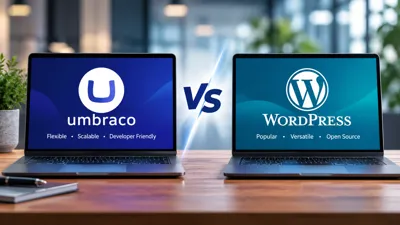
It also means updates are inherently a developer task with a deployment attached, and there is no button in the backoffice that lets a content editor change the application from underneath you. This is one of several reasons I choose Umbraco over WordPress for client work, and there is a fuller breakdown in what Umbraco is and how it compares to WordPress, Kentico and Sitecore.
WordPress and Other Interpreted Platforms
WordPress is PHP, so it is interpreted. There is no build step and no compiler to catch anything. A plugin update with an incompatible change will happily install and only reveal itself when a visitor hits the page that uses it, which might be a page nobody looks at for a fortnight.
On top of that, WordPress puts an update button in the admin area, which makes it very easy for a client to update a plugin on a live site with no backup, no testing, and no idea what it touches.
If you look after WordPress sites for clients, have the conversation with them explicitly. Explain that the update button on the live site is not a convenience, it is a risk, and that the same process applies to WordPress as to anything else: local, staging, backup, live. Where you can, lock it down with file permissions or role restrictions so the decision is not left to whoever happens to be logged in.
Making It a Routine Rather Than a Panic
The easiest way to keep this manageable is to do it regularly. Small, frequent updates are low risk and quick to test. Updates left for two years turn into a migration.
That is the thinking behind our Umbraco maintenance and Umbraco support services: scheduled update cycles, tested properly, with backups taken every time. If you are not sure what state a site is currently in, an Umbraco health check or a security review is a sensible starting point, and you can read more about how we approach security generally.
The Short Version
Never apply updates directly to live. Test locally, test on staging, take a full backup of files, media and database, then deploy.
Yes, it takes longer than clicking a button. It takes considerably less time than restoring a site you did not back up.
If updates on your site have been left longer than they should have been, get in touch and we will take a look.

Written by Justin Neville
Justin has worked in software development since 1998. He began writing C and C++ applications, moving to C# and .NET development in 2002. From 2002 to 2013 he built large-scale internal web applications for major companies in the finance and insurance sectors. In 2013, he founded Nevitech IT Solutions Ltd, and since then has focused exclusively on building and supporting websites using Umbraco CMS.
Justin is an Umbraco Certified Master and an Umbraco MVP for 2026. He won the Umbraco AI Package Award for his AI Log Analyser package, contributes to the Umbraco CMS core, and co-organises the Umbraco Kent Meetup. His particular strengths include system architecture, performance optimisation, complex troubleshooting, and writing clean, scalable code. He also mentors junior developers and works closely with agency partners on complex builds requiring specialist expertise.